See for yourself - Before & After

35mm slide to digital image using ShotCopy
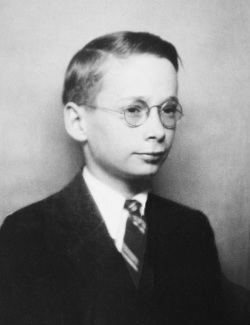
Seeing is believing. Here is a ShotCopy sample of a 35mm slide copied with a click of a digital video camcorder set for still image capture mode. Using ShotCopy makes it easy and fast to receive great results using your digital camera. No more cumbersome slide trays to load and unload, no more waiting for a scanner wand to process your images. Save time - Save money - with ShotCopy. Bring old photos to the digital age with a project the whole family will enjoy.
Saving photographic pasts to the digital age

ShotCopy saves your photographic past from the ravages of time. Bring all those photographic images forward for future generations to enjoy and ponder using ShotCopy and your digital camera. All this from the comfort of your home where you can duplicate and share with family and friends.
What ShotCopy can do for you...
Copy Slides
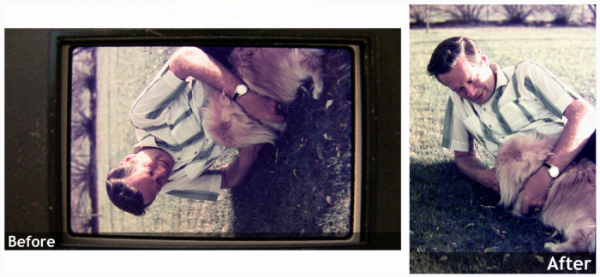
Now you can easily and quickly bring all those 35mm slides to the digital age with ShotCopy and your digital camera.
Copy Color Negatives
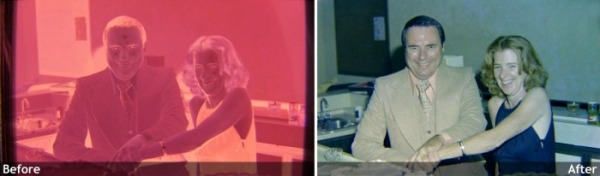
Have a bunch of negatives with no prints to match? Now you can convert those negatives (color or black & white) to digital prints with ShotCopy and a click of your digital camera.
Copy Black & White Negatives
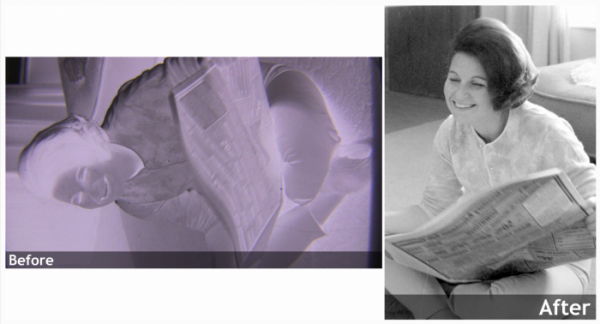
Even those black & white negatives can be brought back to life using ShotCopy and the click of your digital camera.
Copy Photographs
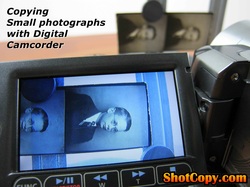
Do you have photo albums that are fading and rough around the edges of family and friends? Now you can use ShotCopy to copy those photographs to digital images. They will not longer fade and turn yellow; plus, you can now share them with family and friends over the Internet.
The Perfect 3 in 1 Camcorder Copystand
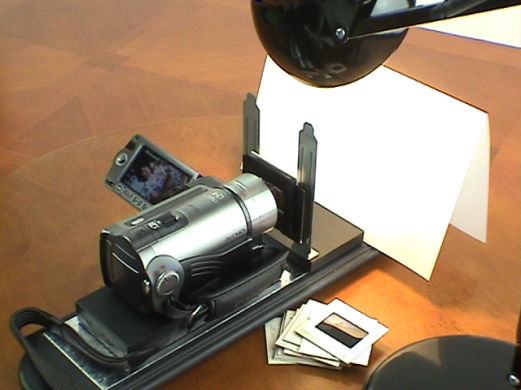
Turn your digital camera into a versitile 3-in-1 35mm slide and negative copy mahine with ShotCopy. Use your camera to copy 35mm slides, negatives (both color and black & white) including small photographs. Download the camera captured images to your PC like you would with any other digital still camera. Then review and edit your images from the comfort of your PC for minor touch-up, clean-up and cropping. Now you can share your transformed memories with family, friends and for the whole world to enjoy.
Sample Photos captured using ShotCopy and the above digital camera
The digital camera used with ShotCopy for the following photographic images was a Canon VIXIA HF 100 set to take still photographs instead of videos.
NOTE - Click on photo below to enlarge and follow the on screen instructions.
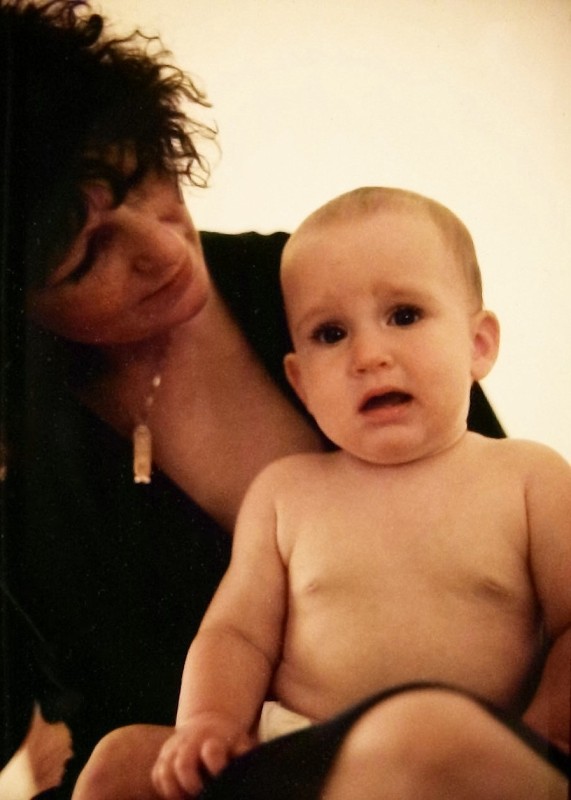
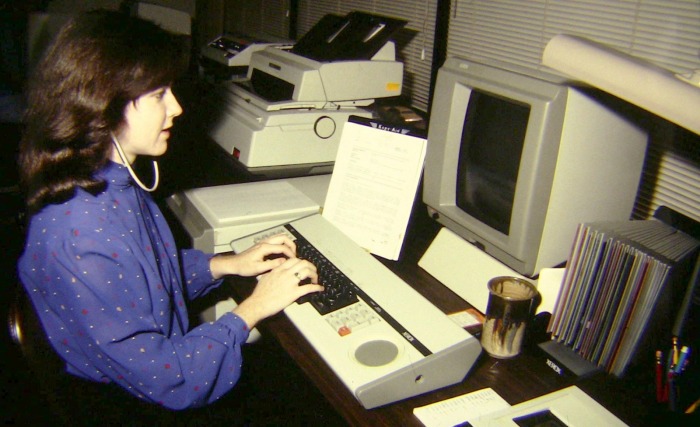
The photos below are a selection of color slides and negatives (both black & white and color) captured using ShotCopy and a digital camcorder which can take still pictures and focus to within one-inch of the camera lens.
NOTE - Click on photo below to enlarge and follow the on screen instructions.
The photos below are a selection of color slides and negatives (both black & white and color) captured using ShotCopy and a digital camcorder which can take still pictures and focus to within one-inch of the camera lens.









Before You Buy
Perform ShotCopy Camera Test

Perform a ShotCopy camera test before you buy ShotCopy to verify your camera will focus to within 1" of the camera lens - close enough to copy 35mm slides or negatives.
You will need a white sheet of paper along with a 35mm slide or negative to perform this test. Here are the steps to follow for the test:
You will need a white sheet of paper along with a 35mm slide or negative to perform this test. Here are the steps to follow for the test:
STEP 1: Place the white sheet of paper on a flat surface so it is lighted evenly by a desk light or other light source.
STEP 2: Hold the slide or negative so that light bounces off the back of the image you are holding so you can clearly see the image through the transparency.
STEP 3: Use your other hand to hold the camera close to the image so image fills the camera's viewfinder. Then adjust your camera to see if you can get a clear sharp image through the camera viewfinder. On some cameras you may have to place your camera in macro-mode to get close enough to focus on the image.
If your camera can focus over the full image area displayed on the camera's viewfinder, ShotCopy will work for you!
STEP 2: Hold the slide or negative so that light bounces off the back of the image you are holding so you can clearly see the image through the transparency.
STEP 3: Use your other hand to hold the camera close to the image so image fills the camera's viewfinder. Then adjust your camera to see if you can get a clear sharp image through the camera viewfinder. On some cameras you may have to place your camera in macro-mode to get close enough to focus on the image.
If your camera can focus over the full image area displayed on the camera's viewfinder, ShotCopy will work for you!
ShotCopy far exceeds other copy, scanning devices out there today since it uses your digital camcorder to easily and quickly achieve better consistent results.